Only Available to Administrators
Clicking the Edit link to the right of the channel data in the Channel Management System will display the Edit Channel page.
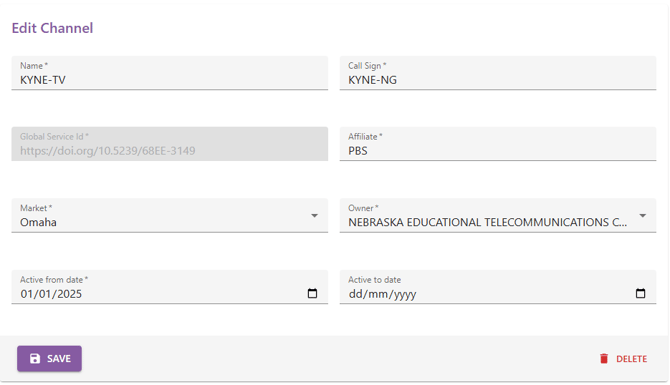
Update the reporting Name, Affiliate, Market at active dates as needed. Once any changes are complete press SAVE to update the record or click the GO BACK link to exit without saving changes.
💡Note: The Global Service ID is not editable.
💡Note: The Owner field identifies the broadcast owner for reporting purposes. If this field is incorrect for this callsign please contact support with the channel details to get this resolved.
🛎️Support
If you believe the information shown in these reports is incorrect, or is missing data/channels/applications please raise a support request at https://developer.run3tv.com/tickets-view and include as many details as possible on the error.